appliances
ドライヤー
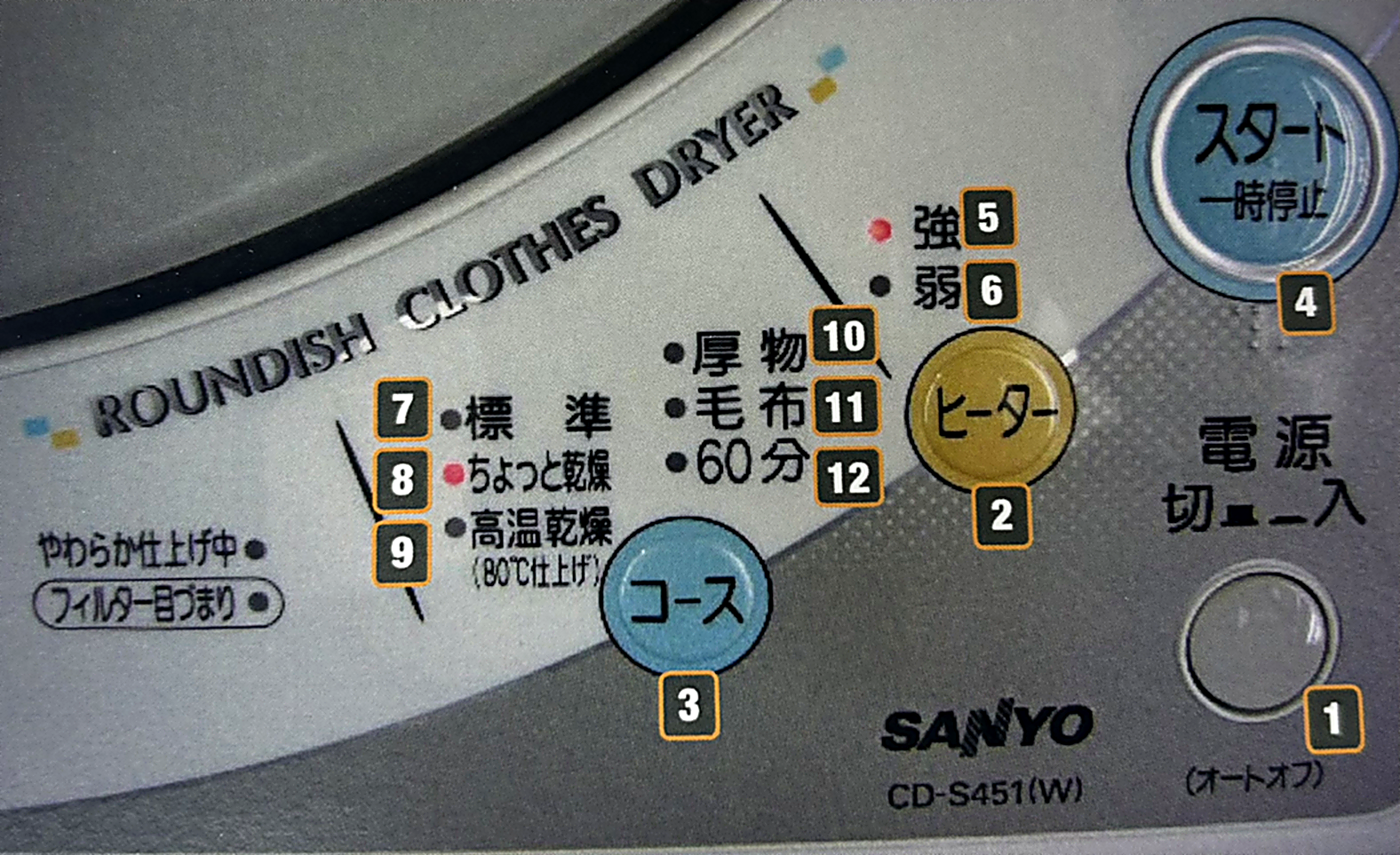
SANYO CD-S451(W)
1. Load your clothes — Place your clothes in the dryer and close the door.
2. Turn on — Press (1) to turn the dryer on. Once on, red lights will appear on the display.
3. Select drying mode — By default, the dryer starts on high heat tumble dry. Press (4) to select this mode.
4. Adjust heat — Press (2) to adjust the heat level, from High (5) to Low (6).
Please note: if you select a setting other than 9 or 12, you'll need to periodically check the dryer's contents during the drying process.