
appliances
TV
Remote - Apple TV
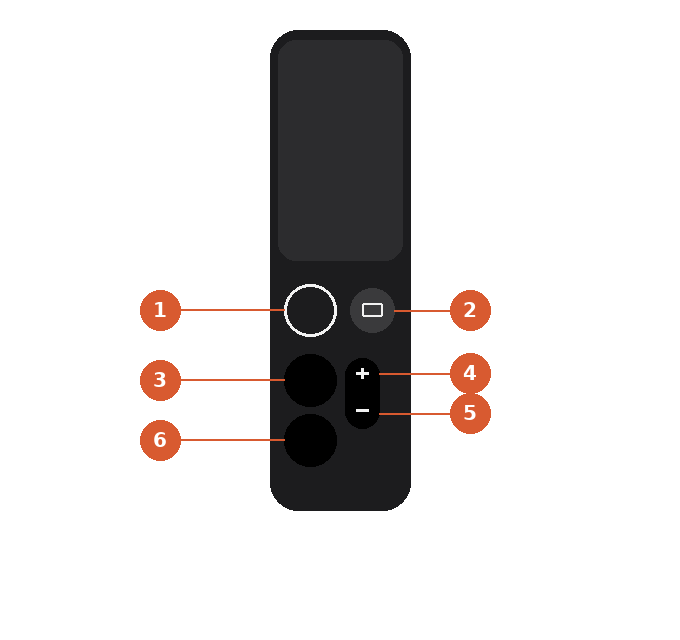
Apple TV Siri Remote — Numbered Guest Guide
1. Menu — Goes back one screen. Press and hold to return to the Home screen.
2. TV / Home — Takes you straight to the Apple TV Home screen. Press twice to see open apps.
3. Siri (microphone) — Press and hold, then speak to search, open an app, or ask a question.
4. Volume up — Increases the TV or soundbar volume.
5. Volume down — Decreases the TV or soundbar volume.
6. Play / Pause — Starts or pauses whatever is currently playing.
Tip: Swipe on the glass touch surface at the top of the remote to navigate menus and move the on-screen selector.