
appliances
TV
TV - Sony Bravia KJ-43W730E
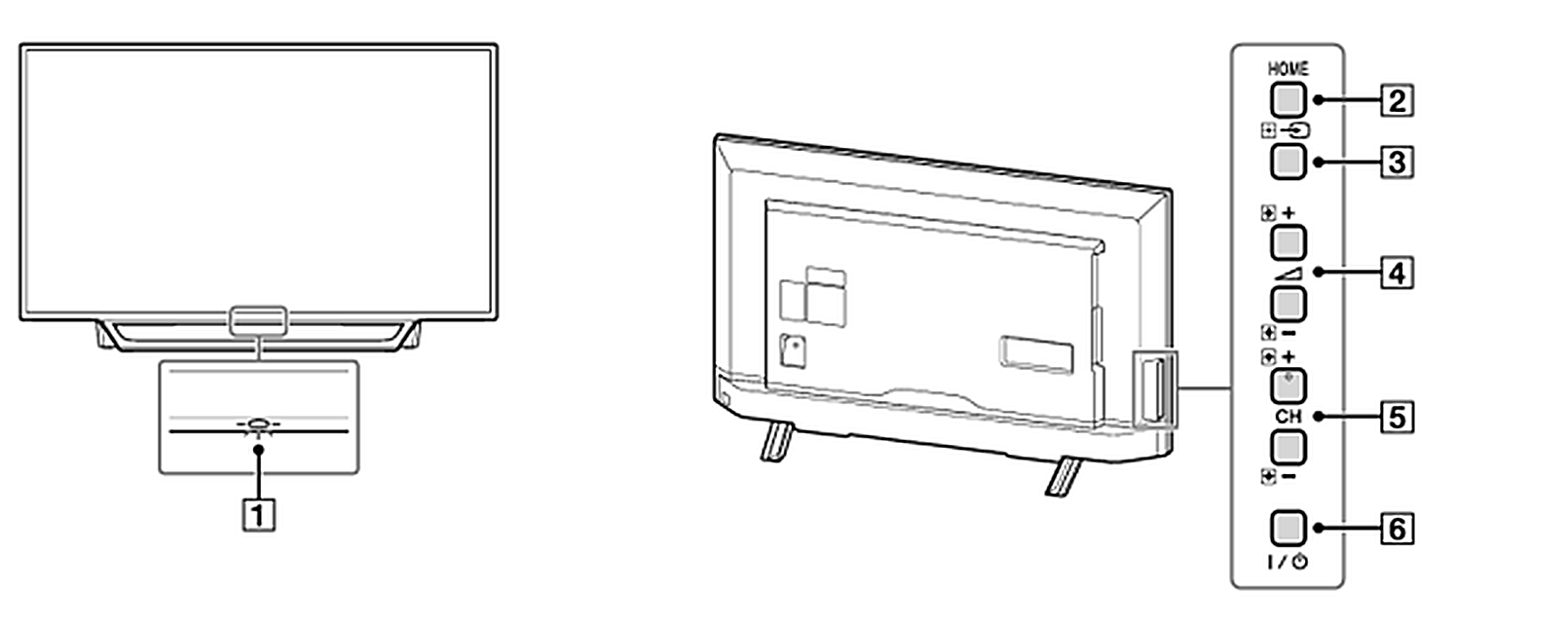
Controls on the TV itself (see illustration):
- 1. LED — status light
- White (lit): TV is on, or video is temporarily paused
- Red (lit): power standby
- Orange (lit): recording, a timer is set, a recording reservation is waiting, or HDMI Link is on
- White (blinking): the remote control is being used
- Off: the TV is turned off
2. HOME — opens the home menu screen
3. Input/Enter — press repeatedly to cycle through TV inputs; acts as Enter when the home menu is open
4. Volume +/- — adjusts the volume; acts as plus/minus when the home menu is open
5. CH +/- — changes channels; acts as up/down when the home menu is open
6. Power — turns the TV on or off (doesn't fully power the set down)
Note: If the TV is turned off using this button, use the same button to turn it back on. The remote sensor sits near the LED — please don't place anything in front of it.
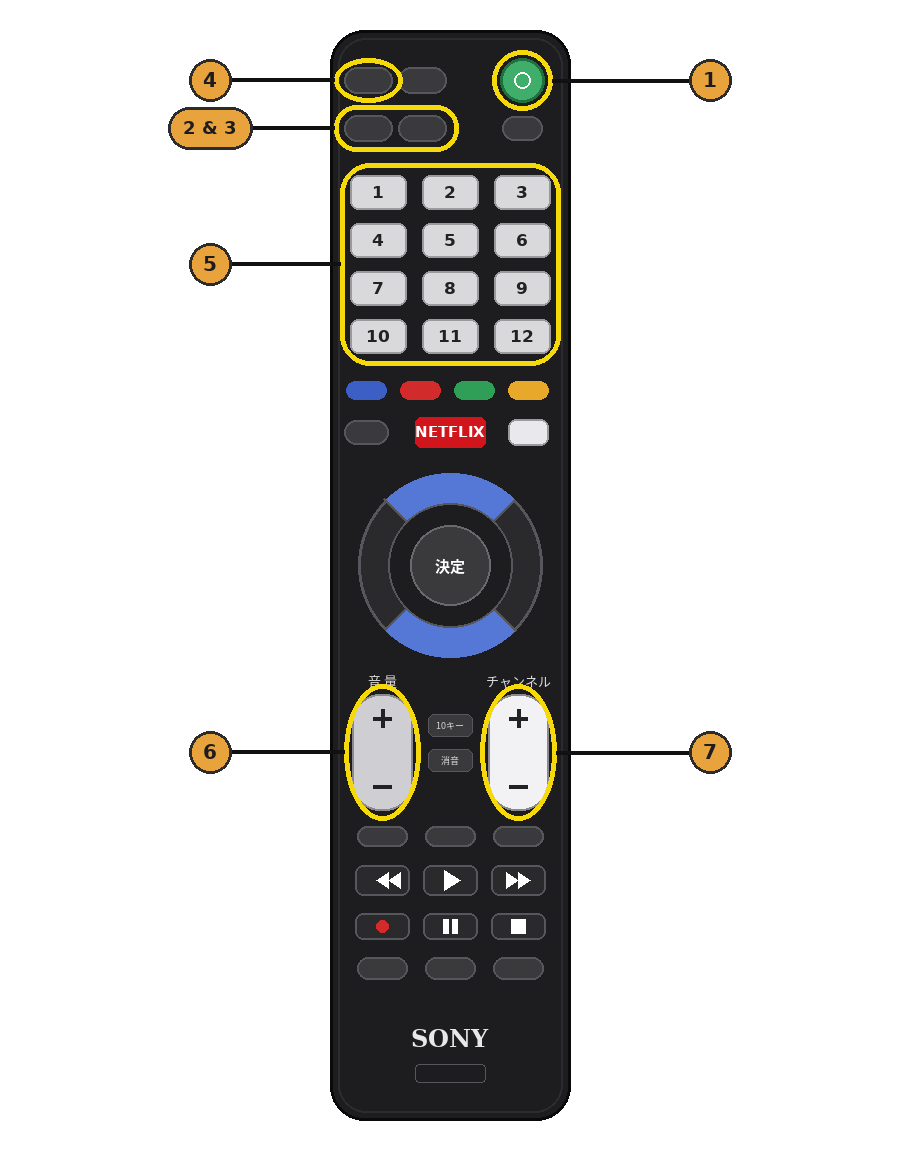
- Press (1) to turn the TV on
- Press (2 & 3) to access local Japanese channels
- Press (4) to change inputs (TV, HDMI2 for Apple TV)
- Use the numbers (5) to freely change the TV channels of your choice
- The - and + for (6) to adjust volume
- The - and + for (7) to scroll local channels
Using NETFLIX
- Begin by pressing the Netflix button
- Proceed to login via the on-screen prompt.